A till your staff can't get wrong. A back office that sees everything.
Fast enough for the Saturday rush, controlled enough for month-end.

Point of Sale & Selling, in short
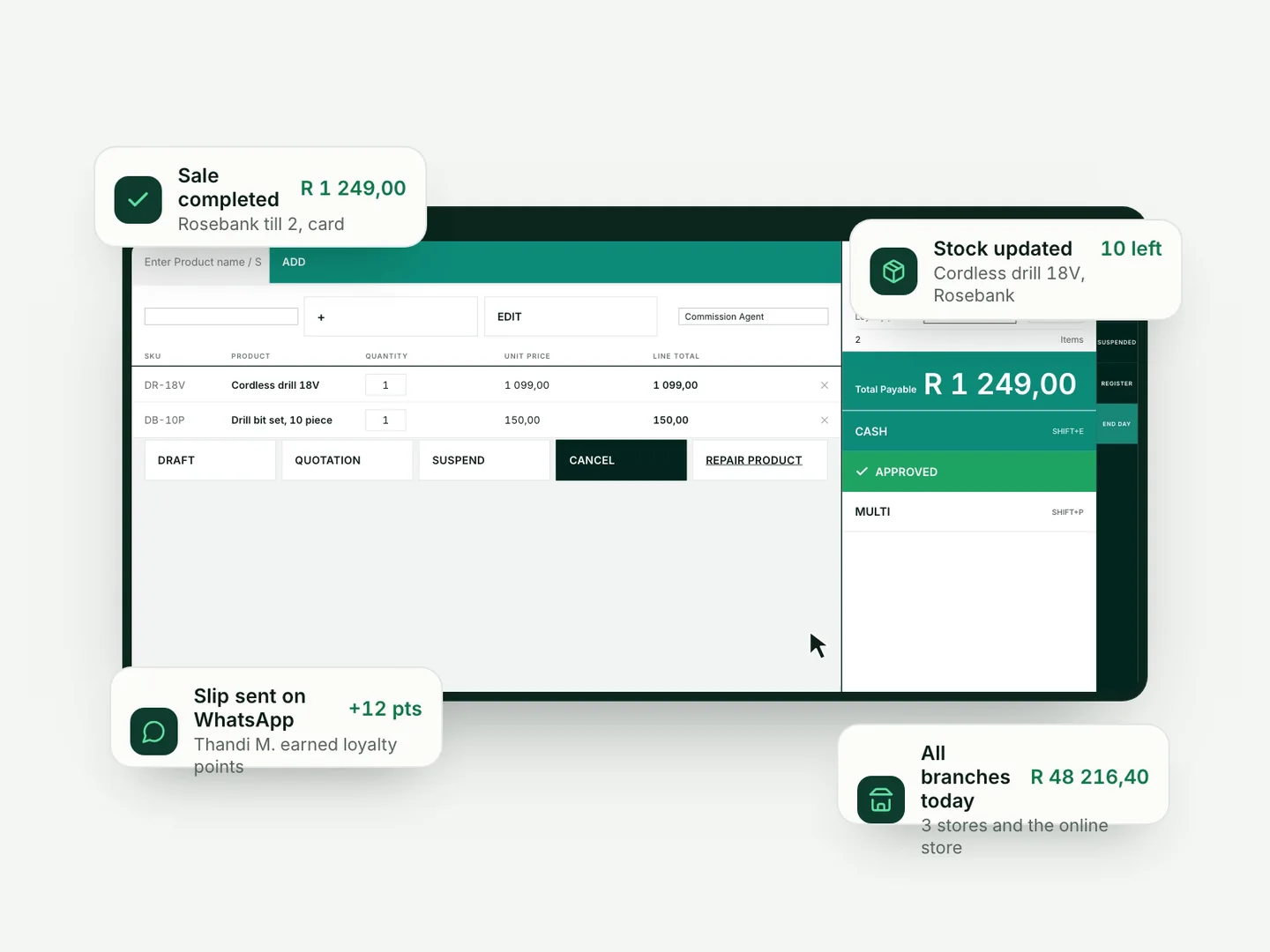
POSly's point of sale is a touchscreen till for South African shops, wholesalers and chains. It handles cash, card, split payments, laybys, quotations and returns, and every sale updates stock, customer history and reports as it is paid.
What changes on day one.
“Queues build up because the till is slow.”
Instant product search and barcode scanning, suggested products and a recent-sales panel. The newer till layout, switched on per business, also works on tablets and handhelds and finishes a sale in a few keystrokes.
“Laybys live in a hardcover book.”
Laybys are built in. Take a deposit, set a minimum payment, see the balance and refund per item. No notebook, no arguments.
“Discounts and voids are where my margin leaks.”
Sensitive actions need a manager PIN, every role only sees what it should, and every transaction keeps its trail.
“A customer wants to return something at a different branch.”
Multi-store returns find the original sale, so the refund happens where the customer is standing. Returned items are credited to the receiving branch, even if it has never stocked that variation before.
What's included.
Some areas are switched on per business, and your plan, settings and staff permissions decide who sees what.
- Touchscreen till with product search, barcode scanning and suggested products
- Switched on per business: newer till layout for desktops, tablets and handhelds, with keyboard tender keys and a change calculator
- Cash, card, split and multiple payments per sale; add a payment later
- Switched on per business: account sales recorded as money owed rather than money received, with customer credit limits checked
- Laybys with deposits, minimum payment rules, instalments and per-item refunds
- Quotations, drafts, back-office sales, suspended and held sales, duplicate sale
- Returns and multi-store refunds, with credit notes on refunded lines
- Receipts printed; on the newer till, also sent as a PDF by email or WhatsApp
- Manager PIN or password overrides for sensitive actions
- Custom invoice layouts and numbering, a separate quote layout and a layout per payment method, including a classic A4 layout; VAT-ready tax invoices
- VAT-inclusive or VAT-exclusive pricing
- Switched on per business: virtual combos deduct stock from their component products; configurable combos let the cashier choose the items at the till
- Switched on per business: combo component breakdowns in Sale Details and on receipts where enabled, plus Layby badges on the sales list and sale window
- Client reference field, sale notes, delivery notes and delivery charges
- Switched on per business: if the connection drops mid-sale on the newer till, the cart is kept and a retry never creates a duplicate sale
- Selling price groups, such as trade and retail prices, set per location
- A secure link to share an invoice with the customer
- Installs on a tablet or phone like an app
Common questions.
Can POSly sell fixed and build-your-own combos?
Yes, when switched on per business. A fixed virtual combo contains predefined component products; for a configurable combo, the cashier chooses the items at the till. Sales deduct the component products rather than treating the virtual parent as separately held stock.
Does POSly handle laybys?
Yes. Laybys are part of the till: deposits, minimum payment percentages, instalments, balances and per-item refunds, all reflected in stock and reports.
Can POSly send receipts on WhatsApp?
Yes. On the newer till, which is switched on per business, the receipt can be sent as a PDF by WhatsApp or email straight after the sale, instead of or as well as a printed slip.
Does the till work on a tablet?
The newer till layout, switched on per business, is built for desktops, tablets and handhelds. POSly runs in the browser, so there is no special till computer to buy.
Can I charge trade customers a different price?
Yes. Selling price groups hold different prices for the same product, such as trade and retail. Each location has a default group, and the till lets staff pick a group when a business has more than one.
Can I share an invoice with a customer as a link?
Yes. Every invoice can be shared as a secure link, so the customer can open it without an account.
Can staff give discounts without approval?
Only if their role allows it. Permissions decide who can change a price or give a discount, and sensitive actions such as voids and refunds can require a manager PIN or password, with the approving manager recorded.